System information

Charger handling software

The charger handling software offers sophisticated capabilities in a cloud environment. Easy, smart, efficient, complete. Its philosophy was based on many years of research and application in a large number of projects such as those of shared electric bicycles and electric cars, giving us the opportunity to share its unique capabilities in innovative sustainable mobility solutions. The solutions of eV Handler+ concern owners of chargers (Charge Point Operators) but also providers of mobile telephony charging services (e-Mobility Service Providers). Let's discover them together: The software solutions concern owners of chargers (Charge Point Operators) but also mobile charging service providers (e-Mobility Service Providers). Let's discover them together:
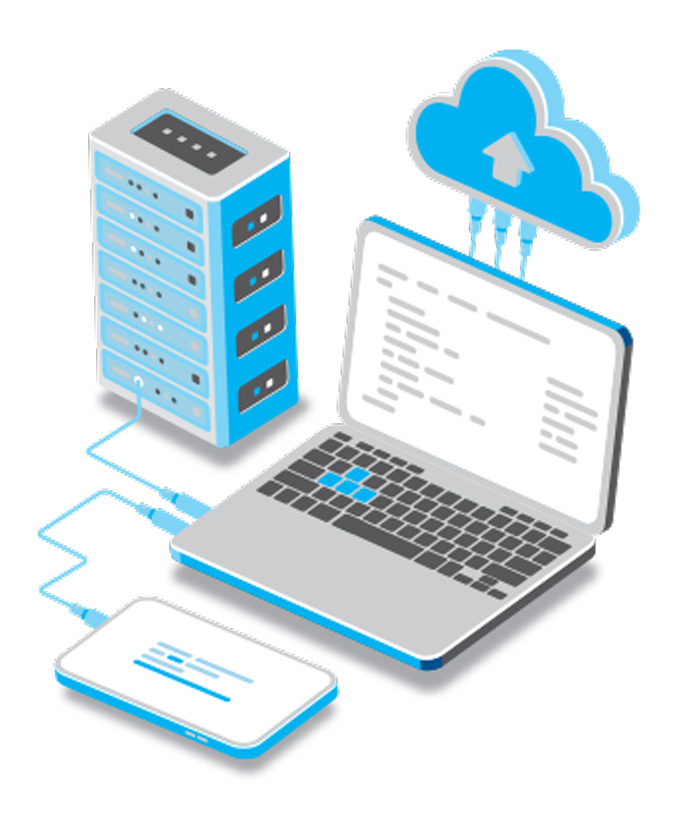
eV-Handler-1
Charger network management and operations
  • Monitor charging activity and remotely manage all settings of each device and receptacle in real-time with all device setting functions via OCPP (Open Charge Point Protocol).
  • Organization of locations, chargers, receptacles based on business structure.
  • Capability of pre-booking a station
  • Real-time public and private profiling.
  • Output usage statistics by charger/receptacle/location/time period with real-time visualization charts and tables. With printable reports in pdf or CSV files.
  • Extensive device and communication protocol support
  • Running on AWS (Amazon Web Server)
  • Friendly responsive web interface
Management of Payments - Invoicing - Collections
  • Easily, instantly and remotely set charging schedules and charging rates with a charging option
    1) one-time connection fee,
    2) per time unit,
    3) per kWh or
    4) combination of all individual options.
  • Possibility of reservations of the receivers by the drivers.
  • Invoicing and immediate issuance of documents per session with tax mechanism number
  • Track revenue statistics, total kWh consumed (cost) per charger/receptacle/location/time period with real-time visualization charts and tables.
  • Integration with all payment gateways (stripe, viva wallet, Braintree, paypal)
Power Management
  • Management of energy distribution and support of charging networks, the efficient utilization of the load of the facilities
  • Support for Static Load Management, Dynamic Load Management and Vehicle to Grid (V2G) functions
  • Monitor power management per charge receptacle in real time
icon_plug_white-150x150
Charging software

The mobile application is available for free on the Appstore and the Play Store in the Greek language and in local currency. It is a multi-tool on driver-users' phone devices, making charging as simple, easy and organized as possible. Providing solutions to the first steps of development of the charging network in Greece and being a surprising application, with many possibilities beyond the charging process.

Let's see its main features:
  • Free access – Sign up to activate the charging function
  • Using a wallet to prepay an amount intended for charging from a debit/credit card (control, feeling of security, avoiding a credit limit)
  • Full functionality of start / stop / remote reservation of a charger.
  • Immediate and real-time driver update of available chargers via map / automatic check of their availability / access instructions.
  • Map configuration filters based on user preferences
  • Charge history & favorite charging points for easy access.
  • Update on balance of payments and charges.
  • Extended support.
  • Immediate issuance of legal receipts.
  • Responsive web portal

Instructions

To charge your vehicle, follow these steps:

  • If you don't have the charging software installed, scan the QR code on the surface of the charger with your mobile phone or search and download the Android or iOS app from Play Store or Appstore. If you already have the app, follow steps 2-7.
  • In order to charge your vehicle, you must first register your credit or debit card. Via the menu selection (3 lines at the top left of the application), select "My account" and then "refresh balance". On the screen that appears, enter your credit or debit card, which will be used to add an amount of your choice, which you intend to charge and which appears in your balance, under "Balance Replenishment". It is clarified that the minimum balance you should maintain in order to be able to carry out top-ups is 10 Euros to cover the estimated cost of one AC or DC top-up. In the 'refresh balance' section you will see the funds you have transferred from your card and are available for you to make top-ups.
  • Insert the charging cable into your vehicle's socket and charger socket.
  • From the app menu, select "map" (pressing the three lines on the top left), choose the charger you want to use on the map and choose the outlet you want to charge at. Click on the "start charging" bar at the bottom of the map.
  • To complete the charge select “complete charge” in the application on the screen you see when the charging process is progressing.

The charging process does not start. What can I do?

  • Make sure the cable is properly connected to the charging station and the vehicle.
  • If you are using the eV Charger+ app, scan the QR code next to or below the outlet you want to charge with your mobile and try to start charging again.
  • Close the app and re-open it trying to start charging again. Make sure you have a good 3G/4G data network or – if available – a WiFi network connection.
  • Check your account balance in the app to make sure you have money in your wallet in the app path: menu, "my account", "refresh balance".
  • The charger may be temporarily offline (off line) due to maintenance or not communicating properly through the mobile network due to a delay in the response of the telephone network (weak or overloaded network). Finally, the device may occasionally not have the required power due to a lack of power in the electrical network of the charging facility. Wait a few minutes and try again.

The charging process is delayed. What can I do?

  • If you are using the app, make sure you have a good 3G/4G data network or WiFi connection. Initiating charging requires communication over your network between the charger, software server and your account database, so you may need to wait a few minutes for communication over the mobile device's data network to complete your.
  • If the connection is not completed within a reasonable time, stop the process, wait for a minute and repeat the steps to start charging.

Charging won't stop and I can't disconnect the charging cable. What can I do?

  • Make sure you select 'charge complete' in the app. If you haven't done so, select 'charge complete' again.
  • Close the application by completely stopping its operation on your mobile. Open it again, go through the map to the charger and outlet you are using to see the charging status. If it continues, select "charge complete" and wait for confirmation that the charge is complete. Then disconnect the cable from your vehicle.
  • Make sure you have a good 3G/4G network so that the app commands are transferred to the charger. If you are not sure restart your device and check the data network. In case the above steps don't help, try locking and then unlocking your car. Then remove the cable by gently pulling the plug. If the problem persists, please contact our support.
level-1-blue
Level 1

Up to 5km, 30 minutes

level-2-blue
Level 2

Up to 20km, 30 minutes

level-3-blue
Level 3

Up to 50km, 30 minutes

level-4-blue
Level 4

Up to 100km, 30 minutes